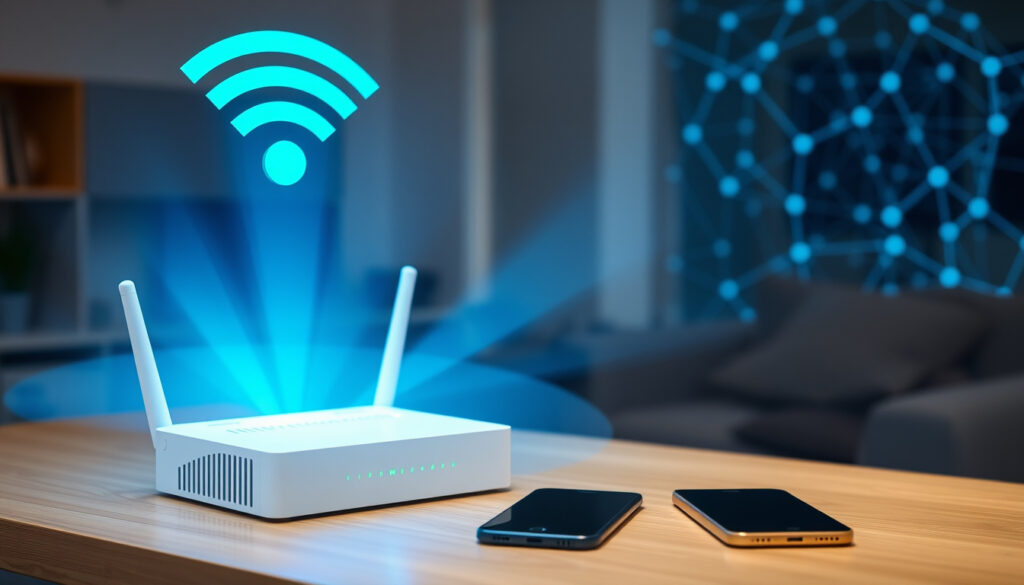
What Is an SSID? Find and Secure Your Wi-Fi Network
Your Wi‑Fi network name is called an SSID — and it’s not a password. Here’s how to find it on any device and defend it against spoofing attacks.
SSID stands for Service Set IdentifierMaximum length 32 charactersCase sensitivity Case‑sensitive letters, numbers, and special charactersBroadcast frequency Router broadcasts SSID to nearby devices
Definition
- Service Set Identifier NIST CSRC Glossary
- Network name Kaspersky Resource Center
- Broadcasted by router Fortinet Cyber Glossary
- Up to 32 characters Fortinet
Finding SSID
- Router label TP‑Link Support
- Device settings Apple Support
- Windows network icon Microsoft Support
- Mobile Wi‑Fi settings Google Android Help
Security
- SSID not a password Kaspersky
- Hiding SSID not secure Kaspersky
- Use strong password Wi‑Fi Alliance
- Use WPA3 encryption Wi‑Fi Alliance
The table below gives a quick snapshot of SSID essentials.
| Acronym | Service Set Identifier |
| Purpose | Identifies a Wi‑Fi network |
| Length | Up to 32 characters |
| Case‑sensitive | Yes |
| Default location | Router label or device settings |
What is an SSID?
An SSID (Service Set Identifier) is the technical name for a Wi‑Fi network name. Defined by the NIST CSRC Glossary, it is a unique name assigned to a wireless access point so stations can distinguish one network from another. Think of it as the sign on a storefront — it tells devices which network to join.
What does SSID stand for?
SSID stands for Service Set Identifier. According to NIST, it is the name that identifies a specific 802.11 wireless network.
How does an SSID work?
Routers broadcast their SSID so nearby devices can discover the network. Broadcasts typically happen every few milliseconds. The SSID is case‑sensitive and can be up to 32 characters long, per Fortinet. Devices scan for SSIDs and display them in a list. When you tap a network name, you are selecting its SSID.
The catch: SSIDs are only identifiers — they do not authenticate devices or encrypt traffic. Security comes from the protocol (WPA2/WPA3) and the password.
Is SSID just the Wi‑Fi name?
Yes — SSID is the official term for what most people call the Wi‑Fi network name. The Kaspersky Resource Center confirms that the network name shown on your device is usually the SSID.
What is the difference between SSID and Wi‑Fi name?
There is no functional difference. “SSID” is the technical label; “Wi‑Fi name” is the everyday term. Both refer to the same thing.
Is SSID your password?
No. The SSID is the network name, not the password. You need both to connect to a secured network. The Fortinet Cyber Glossary explains that an SSID is not the same as an IP address or a password.
What is the difference between SSID and Wi‑Fi password?
The SSID tells your device which network to join. The password (or passphrase) authenticates your device and enables encryption. Changing the SSID does not alter the password — they are separate settings.
How do I find my SSID?
Finding your SSID varies by device, but the principle is always the same: look in the Wi‑Fi settings. The steps below cover the most common devices.
How to find SSID on a router
Most routers have a sticker on the bottom or back that lists the default SSID. For example, TP‑Link Support notes that the default SSID is printed on the device label. You can also log into the router’s web interface to see the current SSID.
How to find SSID on iPhone
Open Settings > Wi‑Fi. The connected network’s name is shown at the top with a checkmark. Apple Support details this method.
How to find SSID on Android
Open Settings > Network & Internet (or Connections) > Wi‑Fi. The network you are connected to appears at the top. Google Android Help confirms this.
How to find SSID on Windows
Click the network icon in the taskbar or go to Settings > Network & Internet > Wi‑Fi. The connected SSID is shown. Microsoft Support provides the official steps.
Pro tip: On a Mac, click the Wi‑Fi icon in the menu bar; the connected network has a checkmark. You can also find it in System Settings > Wi‑Fi.
What is SSID on iPhone and Android?
On both platforms, the SSID is simply the name of the Wi‑Fi network you are connected to or available to join. Both Apple and Google confirm that the SSID appears in the Wi‑Fi settings list.
What is SSID on iPhone?
On iPhone, the SSID is the network name shown at the top of the Wi‑Fi settings screen. You can also see it in the Control Center’s Wi‑Fi widget.
What is SSID on Android?
On Android, the SSID is listed under Wi‑Fi settings. Some devices also show the SSID in the quick‑settings panel when Wi‑Fi is active.
What is SSID in a hotspot?
A mobile hotspot broadcasts its own SSID so other devices can connect to share its internet connection. The hotspot’s SSID is set in the device’s hotspot settings and can be the default name or a custom one. Devices connect to the hotspot using its SSID and password, just like any other Wi‑Fi network.
SSID on mobile hotspot
On an iPhone, go to Settings > Personal Hotspot to see the SSID. On Android, go to Settings > Network & Internet > Hotspot & tethering. The SSID is the name shown for the hotspot.
What is an SSID used for?
The primary purpose of an SSID is to help devices identify and connect to the correct network. Without it, your device would not know which access point to join. The Fortinet Cyber Glossary explains that the SSID distinguishes one wireless network from another.
SSID usage in network security and connection
While the SSID labels the network, it does not provide security. A hidden SSID (turning off broadcast) can still be discovered by attackers using simple tools. Kaspersky warns that “hidden SSIDs do not stop attacks and can still be discovered by nearby devices.” The real security comes from strong encryption (WPA2/WPA3) and a robust password.
Warning: A spoofed SSID can trick users into joining a rogue access point that imitates a legitimate network name. This is called an evil twin attack (Cisco).
How to Locate a Router’s SSID and SSID Broadcast Setting
You can access these settings through the router’s web interface. The TP‑Link Support page shows how to log in and view the SSID.
Accessing router settings to find SSID and broadcast option
- Open a browser and enter your router’s IP address (often 192.168.1.1 or 192.168.0.1).
- Log in with the admin credentials (printed on the router or set by you).
- Look for a section labeled “Wireless” or “Wi‑Fi.”
- Your current SSID is displayed. You can change it there.
- Find the “SSID Broadcast” setting. It may be enabled by default. You can disable it, but that does not fully secure the network.
The pattern: hiding the SSID only adds a minor inconvenience, not real security. Attackers can still detect the network with packet sniffers.
“An SSID is a name assigned to a wireless access point that helps stations distinguish one wireless access point from another.”
— NIST CSRC Glossary
“A spoofed SSID can trick users into joining a rogue access point that imitates a legitimate network name.”
— Cisco, on evil twin attacks
cloudi-fi.com, en-us.support.motorola.com, fr.wikipedia.org, geeksforgeeks.org, youtube.com, techtarget.com, computerweekly.com, geeksforgeeks.org, ipcisco.com
Frequently Asked Questions
What does SSID stand for?
It stands for Service Set Identifier.
How can I change my SSID?
Log into your router’s admin interface, go to wireless settings, and type a new network name. Save changes and reboot if needed.
Can I hide my SSID?
Yes, you can disable SSID broadcast in your router settings. However, hiding does not prevent attackers from discovering it.
What should I name my SSID?
Use a unique name that does not reveal personal information (e.g., avoid “Home of John” or “123 Main St”). A fun or neutral name works fine.
Why is my SSID not showing up?
Possible reasons: the router’s broadcast is disabled, your device is out of range, or there is interference. Check router settings and move closer.
Is SSID the same on all devices?
Yes, the SSID is the same network name broadcast by the router. Every device connecting to that network sees the same SSID.
Does SSID affect network speed?
No, the SSID itself does not affect speed. Performance depends on signal strength, interference, and the router’s capabilities.
For more, see our guide on S&P 500 Futures: What They Are and How They Work and AOL Mail Login: How to Sign In Automatically, on Mobile & More.
More related posts
 Hot Springs Near Me – Local Picks Access and Safety Guide
 Cast of Poker Face TV Series: Main Cast & Guest Stars
 Tini Mac and Cheese Recipe: Viral TikTok Hit
 Georgia vs Georgia Tech: Rivalry History, Score, and Comparison
 Trolls World Tour Cast – Full Voice Actors and Characters
 When Does Implantation Bleeding Occur? Timing, Signs & Testing
 Andy Ruiz Jr.: Record, Net Worth, Losses & the Joshua Upset
 Predator: Killer of Killers – Movie or Series? Watch on Disney+
